
What I Learnt Last Week: Refactoring Large React Codebases Using Codemods

During the week, I worked on a not-so-new design system component to replace an existing one. I don’t know about you, but I love being the first to input a character on a new file — at least, I prefer it to refactoring an existing code. It was all fun and React until I had to replace the existing usage.
The existing component was being used in 200+ places in the codebase. “Time to use the good ol’ find and replace”, I thought. Long story short, it was not fun. I couldn’t just ‘find’
import { ComponentA } from 'random/location'and replace it with
import { ComponentB } from 'random/location/2'because in some places, the type was also being imported like so:
import { ComponentAType } from 'random/location' Even if this could be a knowledge gap with my Regular Expression (I admit my Regex is not the best), the usage of the two components was different. We had made changes to the props of the components.
Something like so:
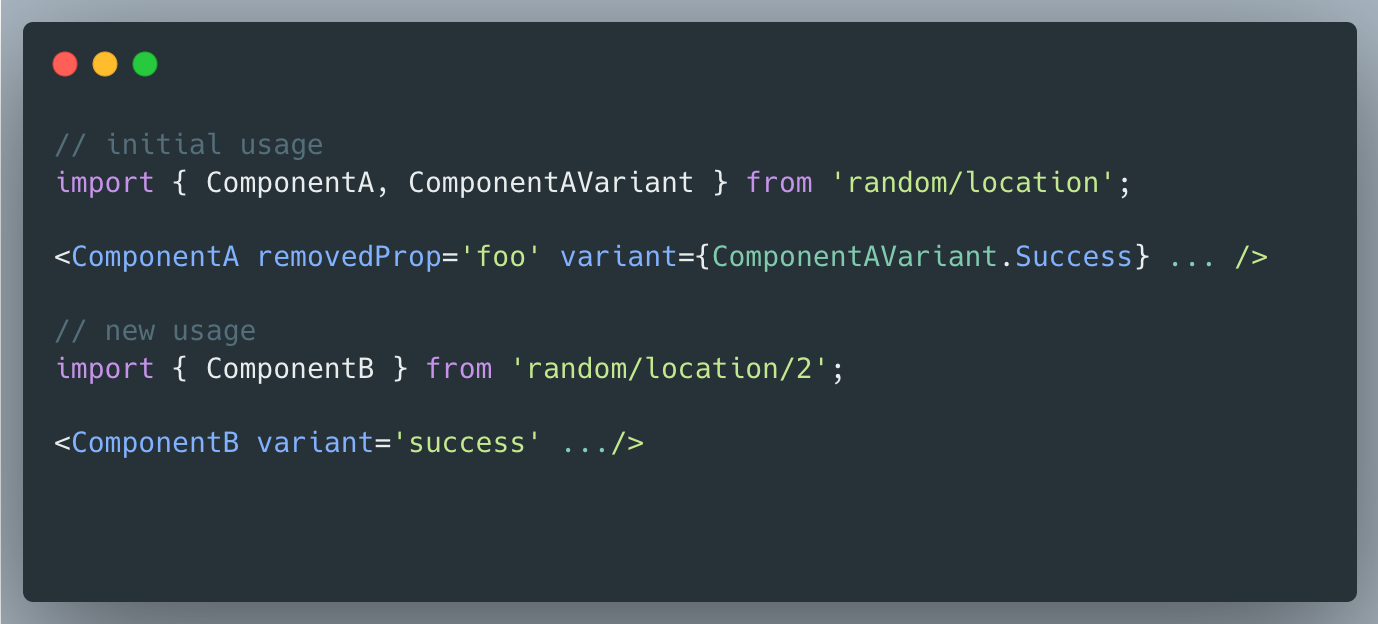
So, as a lazy programmer like me, how would you solve this instead of doing find and replace a number of times? Codemods!!🎉🎉
First off, what the heck are codemods?
Codemods, short for "code modifications," are automated tools or scripts used in software development to make systematic and large-scale changes to source code. They automate code changes, ensuring consistency, saving time, and keeping codebases up-to-date with coding standards and frameworks.
In my case, I used Jscodeshift to automate this change.
Sadly, I can’t post the code snippet (NDAs and stuff 🤧). However, going by our example, this would be the Jscodeshift transformer method:
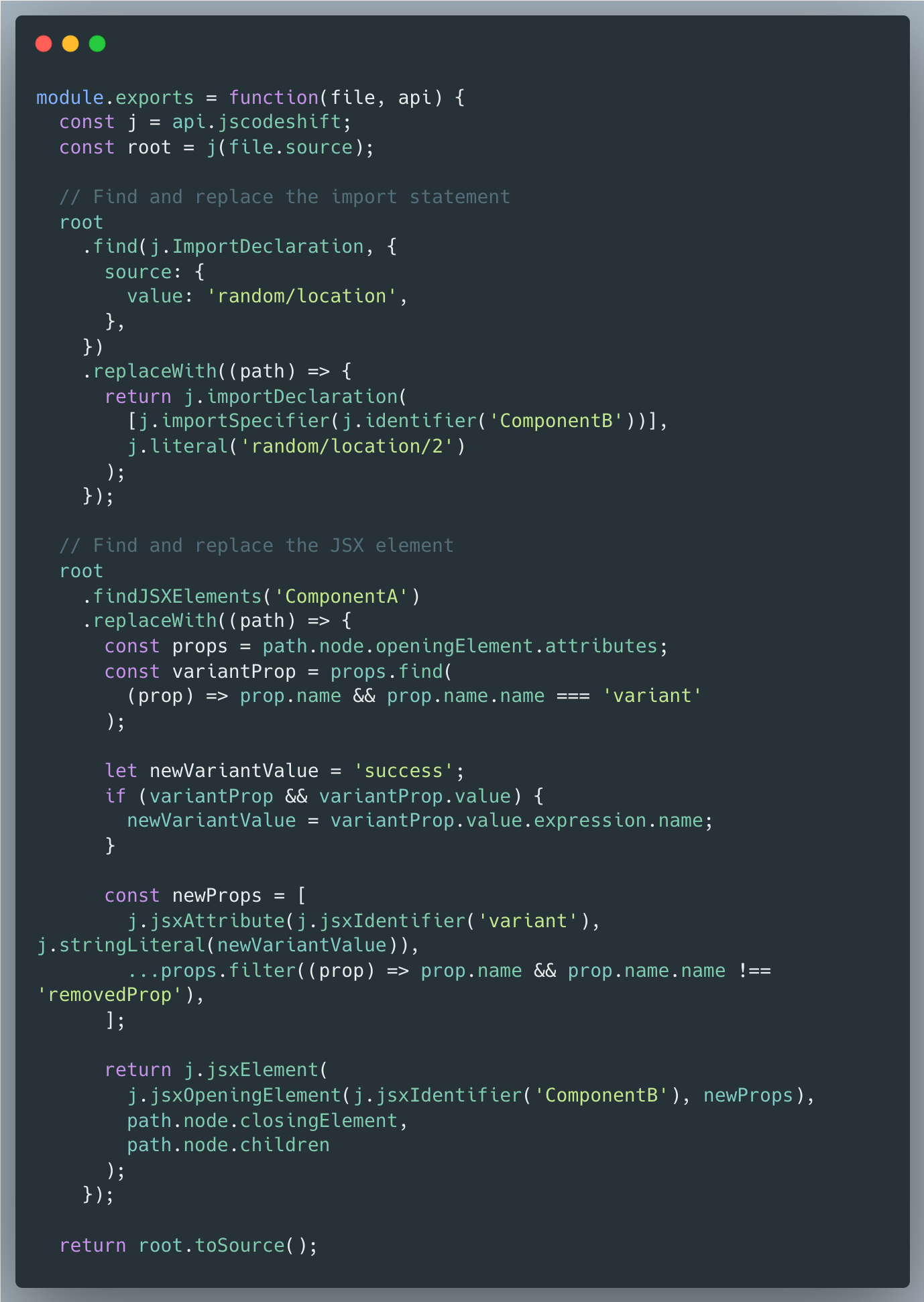
I know it may look overwhelming, but trust me, it’s not as complicated as it seems.
Also, note that these codemod guys do not entirely go without supervision. If you might want to use your linting tool to ensure that nothing is breaking or check the git diff.
If you’ve never used Codemods, I hope this was a great introduction.
See you next week 🚀🚀